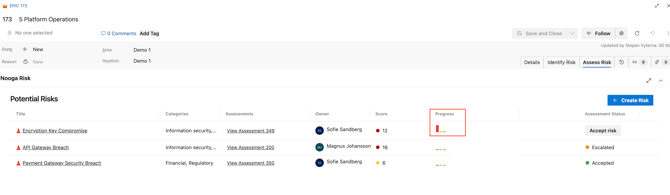
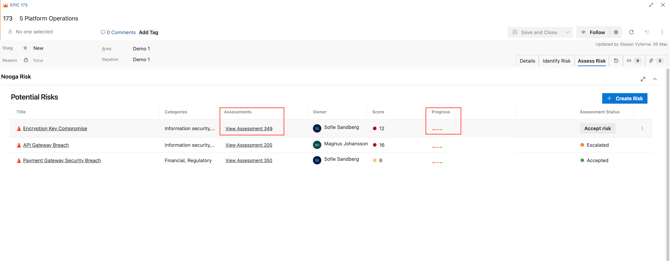
Step 1 - Open the risk assessment work item by clicking the "View Assessment x" or "progress" bar icons.
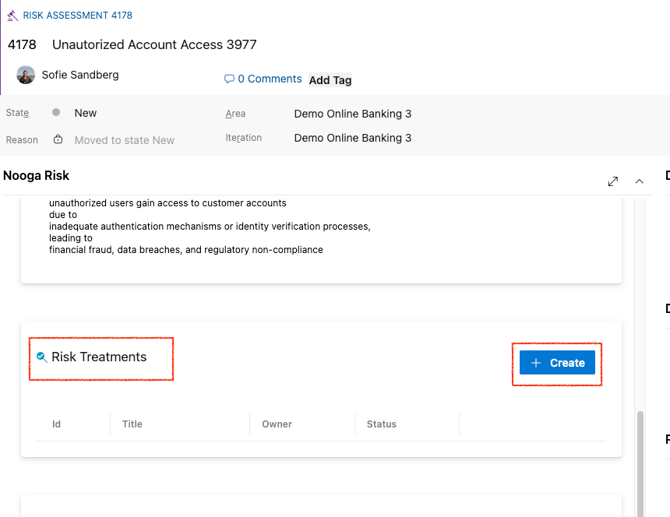
Step 2.1 - Create a Risk treatment action by scrolling down and press the blue "+Create" button.
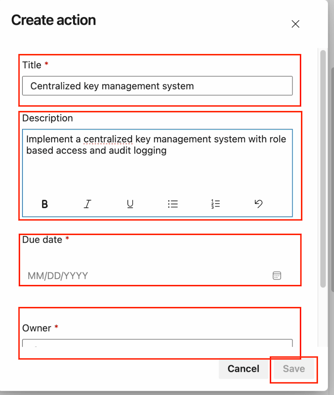
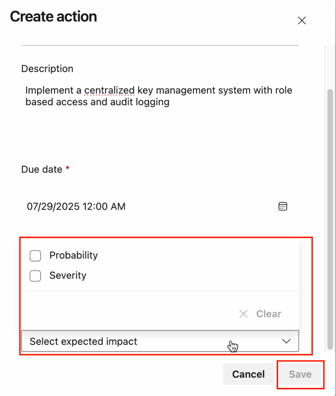
Step 2.1. Fill in details:
- Title: of the WI - Risk treatment action
- Description: what you are doing
- Due date: when you expect to be finished
- Owner: the one responsible for making sure the work is being done
- Expected impact: if you do this - do you expect it to decrease the probability of the risk to happen or lower the severity, or both?
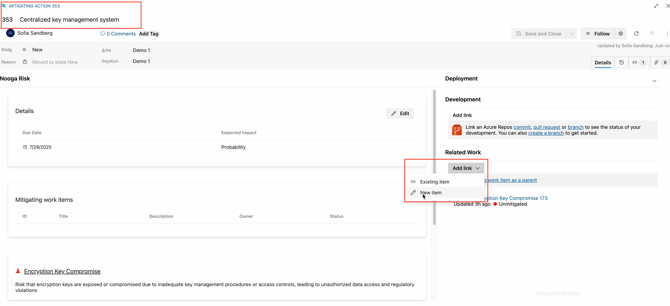
Step 3 - Tie any associated work items to the Risk Treatment by opening the Risk Treatment work item and "Add link" - "New item", add any item as related.
Step 4 - Monitor risks and Treatment actions statuses for a work item.
The status of mitigating actions can be shown in the "Assess Risk" tab table for each work item in statuses, Proposed, In progress, Completed