
After the trial is activated, each individual user must be assigned a licence seat before they can access Nooga Portfolio.
Steps
1. Open the Subscriptions page
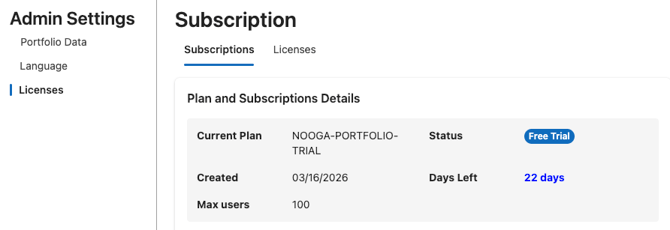
Go to Nooga Portfolio settings under Azure DevOps Organization settings and click Subscriptions. You will see the current plan (e.g. Nooga Portfolio Trial).
2. Verify plan settings
Under Plan and Subscriptions Details confirm the information under Current Plan and Account. Make sure that the Subscription Owner and Owner email are correct, then save.
3. Add users
Under the Licences tab, click Manage Users\ Add Users and enter the name of the user and the desired role under Select an Option. Include yourself if you are the administrator and wish to use Nooga Portfolio. Don't forget to click the Add button.
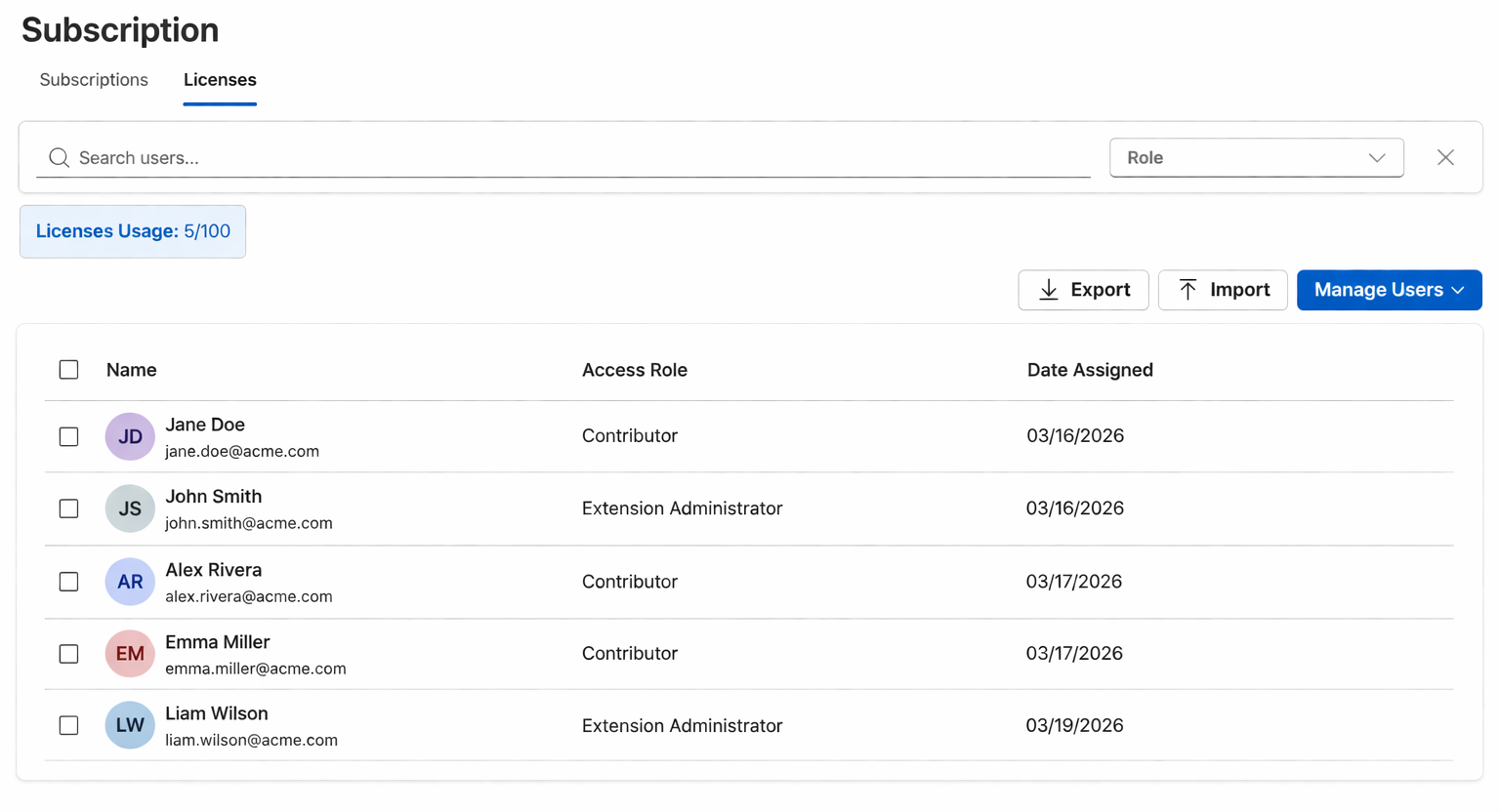
Important: Administrators are not automatically licenced. Even if you are the subscription owner or Azure DevOps administrator, you must explicitly add your own email to the licence seat list. Without this, you will still see the 'missing licence' error.