
Step 1
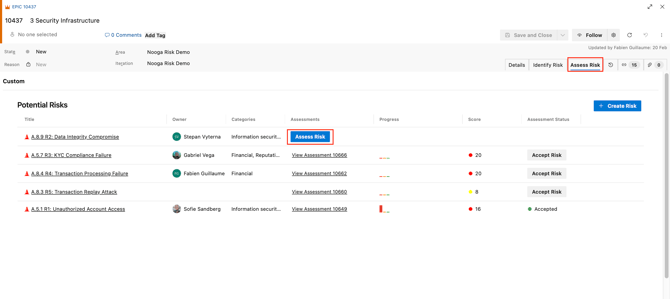
- Open the Work Item and navigate to the "Assess Risk" Tab
-
Go to the "Assess Risk" tab — this is where all the risks you've linked to this work item will appear (as Risk Assessment items).
-
Click the blue "Assess Risk" button to start evaluating each risk.
-
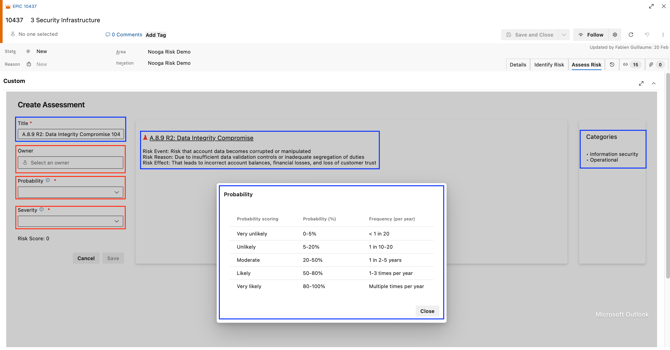
The risk title is automatically populated with the same name as the selected risk including the work item number.
-
The risk details and its categories will be displayed within the assessment item.
-
Assign an Owner to the Risk Assessment work item.
-
Select a Probability value from the dropdown.
-
Select a Severity value from the dropdown.
Click the information icon ("i") to view detailed guidance configured by your organization — this helps ensure consistent scoring.
-
The risk score will be calculated automatically based on your selected values.
💡Tip: If you are missing any risk, you can always add new risks by clicking the "Create Risk" button in the top right corner in the "Assess Risk" tab. Risks created from this view will be added
- in the list for assessment for the specific work item, and
- to the total risk register.