
When accepting a risk, you have two alternatives: "Accept Risk", or "Accept and Escalate" depending if any further approval is required or not.
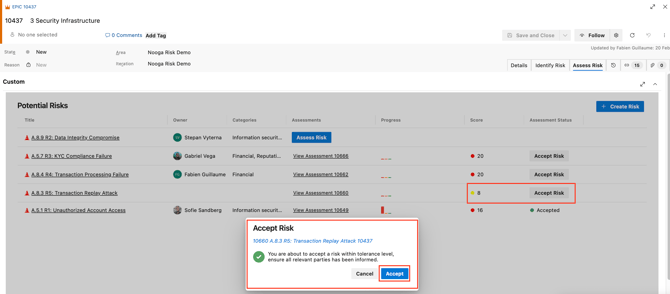
Accept Risk
Click on "Accept Risk" if the risk is below your company’s threshold and no further action is needed.
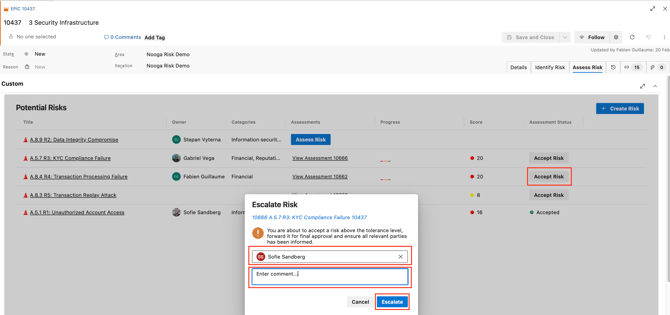
Accept and Escalate
Use this in either of the following situations:
-
The risk is above your company’s threshold, and you’re choosing to accept it without additional Risk treatment actions.
-
You’ve implemented risk treatment actions, but the residual risk still remains above the threshold, and you wish to formally accept it.
Escalation ensures visibility and proper governance for risks that exceed accepted tolerance levels.
Risk Thresholds
Risk threshold levels are configured in the Settings page.
For each risk category, you can define a specific risk score that acts as the acceptance limit. This means that one or more authorized approvers are required to formally approve any risk above the defined threshold that is to be accepted.
This guarantees that decisions involving higher risks are properly escalated and assessed by the appropriate stakeholders prior to finalization.